
31st March marks World Backup Day, celebrated as a reminder for users to safeguard their data against malicious digital threats, and for archival purposes. World Backup Day 2026 falls on a Tuesday, and chances are you might miss it in the middle of a busy work week. So, we’re here to remind and help you prepare for it proactively.
This resource explores:
- Why you should back up your data
- Best cloud services & deals
- Best external hard drive deals
- Data backup protection tips
- Top internet services for seamless cloud storage
Why You Should Back Up Your Data
From the pictures we take to the documents we access, everything is in digital form. Your university degree? Saved as PDF. Your wedding pictures? Locked in a USB. Imagine if you were to lose all your important data and memories just because the device you saved it on got dropped in the pool? Well, as scary as it sounds, it’s a possibility.
Backing up your data is crucial in today’s age because data loss can have a huge impact on your belongings. There are many types of data losses, including:
- Device getting damaged
- Device getting lost or stolen
- Hardware malfunction
- Malicious virus or malware threats
To proactively safeguard your data against such losses, you can back up on both external hardware storage devices and cloud storage apps. Let’s break down how both of these differ, and explore the top deals going on for World Backup Day 2026!
Best Cloud Backup Service Deals
Cloud backup is the most convenient and practical way to back up your data, as it can be accessed on multiple devices, is encrypted through the backup service provider, and offers unlimited storage for as much data as you want on multiple devices. Check out some of the best cloud backup service deals to get for World Backup Day!
IDrive
IDrive is among the top cloud backup services as it is compatible with both Apple and Android systems. You can get 5TB for unlimited devices at approximately $79.50/year. With 256-bit AES encryption and the option to activate private key encryption, you can transfer, upload, and safeguard your data at a much faster rate. IDrive also keeps up to 30 versions of your backup for enhanced security. It also includes:
- Remote management
- Continuous data protection
- File syncing
- Social media backups
You can back up your photos, calendars, contacts, documents, and access them on any device conveniently.
Acronis Cyber Protect Home Office
Acronis is an AI-enhanced security backup service for individuals and small offices. It includes full image, file-level, and cloud backups for complete data backup and protection. Acronis stands apart from its competitors by merging cloud backup with advanced online security. The service includes security solutions, including:
- Ransomware protection
- Malware protection
- Web-filtering
- Vulnerability assessment
Priced at $49.99/year, it is among the budget-friendly cloud backup services that you should definitely check out!
Backblaze
Backblaze is currently offering a discount of 8% on their yearly package, priced now at $99/year. With unlimited storage space, a simple process, and enhanced data encryption, Backblaze is pretty popular among users for the following features:
- Native Mac and PC software
- Two-factor verification
- Restore by email
- Find lost or stolen computer
- Rapid access to backed-up files
Best External Hard Drive Deals
Despite the convenience and layered protection offered by cloud-based backup software, many people still prefer the good old hard drive backups. It not only frees up space from your system, but also does not depend on an internet connection to do the job. You simply connect the hard drive to your device and transfer all your data.
To help you pick out the best external hard drives, here’s our list of a few tried and tested reliable options:
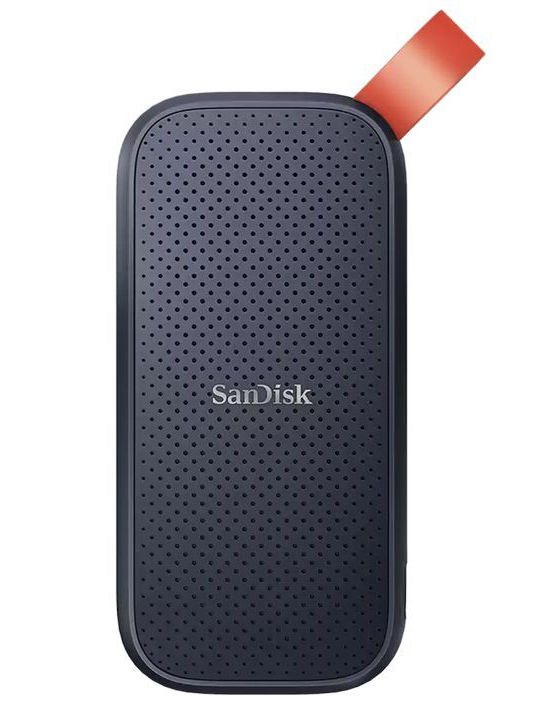
SanDisk Extreme Portable 1TB SSD GEN 2
SanDisk is a suitable option for those who need a reliable, solid, and affordable hard drive for fast data transfers. At only $100, you get:
- IP65 water and dust protection
- 3-meter drop protection
- 1000MB/s write speeds
- 256‐bit AES hardware encryption
Ideal for everyday or home use, SanDisk is definitely a top choice!
WD My Passport
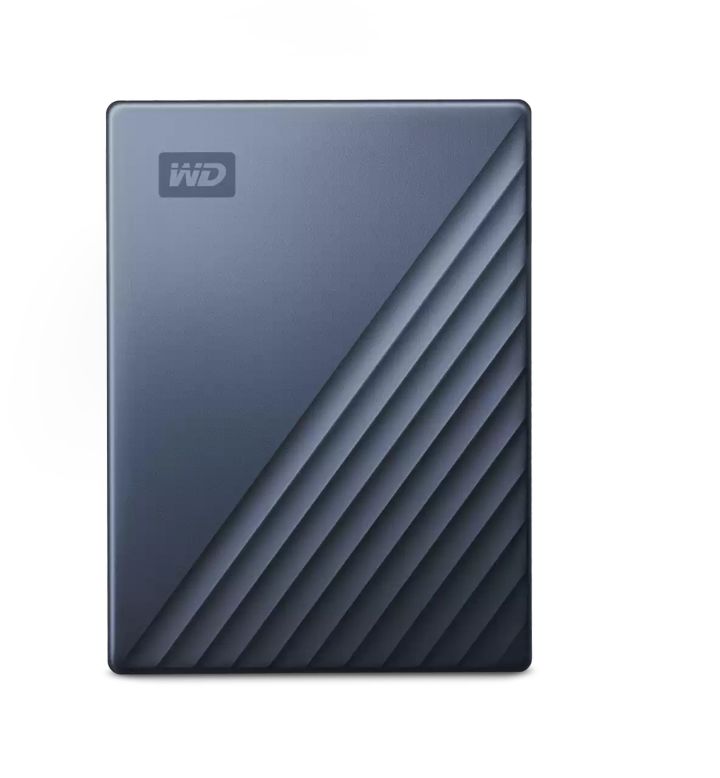
WD My Passport is considered suitable for all types of users who are looking to back up their data, with storage space of up to 6TB. Powered by the Acronis True Image backup software, this hard drive ensures smooth and reliable data transfer. With 256-bit AES encryption and a USB Type-C connection, you can enjoy convenient backup anywhere.
Priced at $100, we really think it is a great option for users who need a reliable and affordable option.
ADATA HD710M Pro
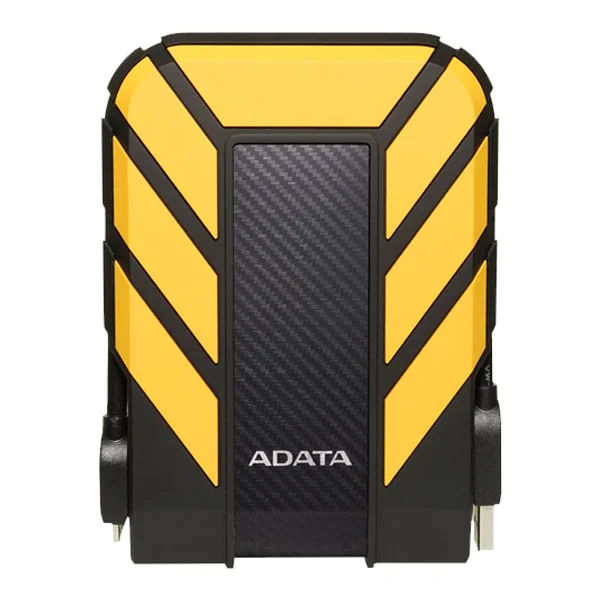
ADATA HD710M Pro is a pretty durable and solid hard drive with extreme dust and water resistance. With a capacity of up to 5TB and a USB 3.2 Gen 1 port, this hard drive is as rugged as it gets for long-time use and durability. Priced at $110 on Amazon, if you’re looking for a budget-friendly but solid external hard drive, this is a great pick for you!
Data Backup Protection Tips
World Backup Day is an annual reminder for all of us to actively protect our data, store it mindfully, and secure it against loss, theft, or any digital attacks. So, this year when you prepare to back up your data, keep the following tips in mind:
Follow the 3-2-1 Rule
The 3-2-1 rule for data backup refers to making 3 copies of your data, stored on 2 different storage mediums (cloud + hard drive) with 1 copy offsite in case of a natural disaster.
Turn on Automated Backup
To make sure your data is not lost in between backups, make sure automated backup is always turned on so you don’t have to miss out on a single file/image.
Connect to a fast Internet Connection
The most important tool in getting your data backed up on any device or cloud is a fast internet connection. For cloud-based apps, this is an essential requirement, and having a slow internet connection will either delay, ruin quality, or miss out on some crucial data.
The best internet connection for heavy file transfers, fast uploads, and consistent connectivity is fiber internet. If you do not have access to a fiber internet, a cable provider would also work. Let’s explore some of the top internet providers suitable for faster and more reliable data backups.
Are You Ready to Participate in World Backup Day?
If you do not wish to vanish from the face of the earth after losing your devices with all your important data, this is your reminder to back up your data to safeguard, protect, and secure it for the future. Make sure to get a cloud-based hard drive deal and pair it with fast and reliable fiber internet: the simple recipe for quick and easy backup!
Want to shop for fiber internet? Explore your options.
On This Page

Need Help?
Let's find Internet services available in your area



Working closely with AT&T, Spectrum, and Xfinity, Taylor has been providing readers with insightful and fruitful information that essentially allows readers to make the most suitable choice to fulfill their Internet, TV, and Phone needs. She has spent years experimenting and dealing with content marketing, ensuring that only valuable and insightful content reaches our readers. Taylor has rigorously worked on Xfinity and spent ample time understanding Xfinity's range of services and what value it offers to customers. From her content, readers not only learn every tidbit about the provider, but also find the most lucrative deals and comprehensive solutions for their connectivity needs.
Taylor Smith