Starlink Internet Plans & Pricing
Choose between Starlink Residential plans for home internet or Roam options for travel and mobile use.

150+
markets served worldwide

2M+
U.S. subscribers

10M+
global subscribers

35+
new markets activated in 2025

21M+
airline passengers served
Figures reflect company-reported data from Starlink/SpaceX, independently reported by outlets including Broadband Breakfast, Advanced Television, and Tesorb.
Choose between Starlink Residential plans for home internet or Roam options for travel and mobile use.
80 – 100 Mbps
15 – 35 Mbps
30 – 40 ms
Unlimited Deprioritized Data
140 – 200 Mbps
15 – 35 Mbps
30 – 40 ms
Unlimited Deprioritized Data
170 – 320 Mbps
20 – 40 Mbps
30 – 40 ms
Unlimited Residential Data
65 – 260 Mbps
15 – 35 Mbps
Nationwide land coverage
100 GB of high-speed data
65 – 300+ Mbps
15 – 35 Mbps
Nationwide land coverage
300 GB of high-speed data
65 – 260 Mbps
15 – 35 Mbps
Countrywide land coverage
Unlimited high-speed data
From online gaming in rural homes to working remotely from an RV or streaming shows while camping, real users share how Starlink performs in everyday situations.
Gamers appreciate Starlink for its relatively low latency and minimal lag, particularly during fast-paced shooter or racing games. Because most plans have no hard data caps, players can download the latest titles and stream tournaments without worrying about strict usage limits. While occasional drops during storms can occur, Starlink is often a practical option for gamers in areas where cable or fiber connections aren’t available.
What Online Gamers Say:
“I play Destiny 2, MLB The Show, Among Us, Fall Guys and my son plays everything under the sun on Steam and we have had zero issues.”
- Reddit User (TheGreenTBagger_)
“I’ve been gaming in starlink using my ps5 and Xbox series x for a couple months now. Me and my brother can both play online, mostly him on ark and me on helldivers, and my kids can both be streaming videos and I have had very few issues and I mean like one or two. “
- Reddit User (Pure_Point_8623)
Remote workers rely on Starlink to stay connected for meetings, file sharing, and collaboration tools like Teams, Asana, and Slack. Its fast speeds make it easier to upload files, join video calls, and work from locations where traditional internet service may not reach.
However, a clear view of the sky is needed at all times. Obstructions like trees and tall buildings can cause brief disconnections and micro-outages.
What Remote Workers Say:
“Starlink is very reliable for work from home. My wife and I rarely have issues. Att before would take weeks to repair broken phone lines after a storm. Starlink supports sucks, but the service itself is reliable.”
- Reddit User (allthebacon351)
“It works great for my remote work. Even with occasional hiccups, it's still far more reliable that my local fiber company.”
- Reddit User (MongooseSenior4418)
RV campers and frequent travelers prefer Starlink for its relatively easy plug-and-play setup, allowing them to get online without any technical work. Many travelers rely on it for using maps, uploading content, and making WhatsApp calls even in remote campsites. Optional in-motion plans can also keep them connected on the road, though users should constantly monitor vehicle power as non-stop usage may drain RV batteries.
What RV Campers Say:
“Rv is great, you will get good internet, but your connection won’t be a priority. But you’ll have high speed “anywhere” - and nothing beats starlink rv for what it offers.”
- Reddit User (Dangerous-Moment5652)
“It is not perfect or 100%, but works for most. Clear sky view is a must”.
- Reddit User (BearK9)
Starlink’s satellite network can keep you connected in most weather conditions, like rain, snow, and extreme temperatures. Key features that ensure reliable performance include:
However, severe weather such as snowstorms, thunderstorms, tornadoes, hurricanes, earthquakes, or blizzards can still cause signal degradation and temporary service outages.
What Users Say:
“The only weather related issue I have experienced is when the rainfall rate is excessive (greater than 1" per hour rate).”
- Reddit User (Agent7619)
“Mine has issues with moderate and above rain. Signal cuts out completely. I just use my cell phone hotspot as a backup for those times”.
- Reddit User (NotMe739)
Enter your ZIP code to see if Starlink is available at your address.
Or speak with our experts to explore other satellite internet options near you.
855-349-9328Starlink kits are easy to install as they come with pre-matched components and an app-guided setup. The plug-and-play design makes it possible to get connected in minutes. No technical dish alignment or complex wiring is required. Even first-time users or those who aren’t very tech-savvy often find the setup straightforward. Simply follow the instructions in the Starlink mobile app.
 Starlink Mini Kit
Starting at
$199
Hardware included:
Design Durability:
Melts up to 25 mm (1 inch) of snow per hour
Why do users prefer this kit?
Ideal for: Frequent travelers, field workers, and small households
 Starlink Standard Kit
Starting at
$10/mo.
Hardware included:
Design Durability:
Melts up to 40 mm (1.5 inches) of snow per hour
Why do users prefer this kit?
Ideal for: Residential users, small businesses, and remote workers
 Starlink Performance Kit
Starting at
$1999
Hardware included:
Design Durability:
Melts up to 85 mm (3.5 inches) of snow per hour
Why do users prefer this kit?
Ideal for: Maritime users, digital nomads, and enterprise applications
Choosing the right Starlink kit that fits your budget and lifestyle is the first step. Setting it up is no rocket science; most users get online within 15-30 minutes without professional help.
Here’s what you have to do:
Whether you are camping, hiking, or sailing, use the Starlink app to set up your equipment, troubleshoot network issues, find the best dish location, monitor network performance, and run speed tests.
Control your Starlink connection while you explore
See how Starlink measures up against some of the prominent satellite, DSL, and 5G home internet providers in terms of price, speed, data allowance, and more.
| Satellite Internet Provider | Starting Price | Download Speed Range | Data Allowance | Best For | Learn More |
|---|---|---|---|---|---|

|
$39.99/mo.1 | Up to 100 Mbps | Unlimited | General web browsing, basic remote work, online shopping | Order Now |

|
$74.99/mo.2 | 25 – 150 Mbps | Unlimited | Streaming music, light video streaming, social networking | Order Now |

|
$55/mo.3 | 80 – 320 Mbps*** | Unlimited | Online gaming, large file transfers, remote work, video calling | Order Now |
Insight: Many rural users choose Starlink mainly because its low Earth orbit (LEO) satellites deliver higher speeds and lower latency than traditional satellite internet. This makes activities like video conferencing, online gaming, and HD streaming possible even in remote locations.
| Internet Provider | Starting Price | Download Speed Range | Data Allowance | Best For | Learn More |
|---|---|---|---|---|---|

|
$44.99/mo.1 | Up to 100 Mbps | Unlimited | Suburban areas | Order Now |

|
$90/mo. | Up to 115 Mbps | Unlimited | Remote or semi-rural regions | Order Now |
|
|
$55/mo.2 | 80 – 320 Mbps*** | Unlimited | Rural homes without fiber or cable | Order Now |
Insight: Fiber or cable internet providers usually offer the most consistent speeds. If those options aren’t available in your area, DSL can be a cost-effective alternative for basic connectivity. However, in rural areas where even DSL is unavailable, Starlink is often the fastest upgrade.
| Internet Provider | Starting Price | Download Speed Range | Data Allowance | Coverage | Learn More |
|---|---|---|---|---|---|

|
$35/mo.1 | 100 - 300 Mbps | Unlimited | 25 states | Order Now |

|
$60/mo.2 | 90 - 300 Mbps | Unlimited | 47 states | Order Now |
|
|
$55/mo.3 | 80 – 320 Mbps*** | Unlimited | 50 states | Order Now |
Insight: In areas with strong 5G coverage, home internet providers like Verizon and AT&T can be a reliable option. However, in places with weaker signals or limited cellular coverage, Starlink stands out for its wider availability and satellite-based connectivity.
Trusted by Over 9 Million Subscribers Worldwide

-Alice R., FL
 Date of Experience: 25-5-2025
“My husband and I live in the countryside where fiber still isn’t available. Switching to Starlink was a major upgrade from our old DSL connection. Now we video call our grandkids almost every day. The setup was hassle-free too.”

-Peter J., TX
Date of Experience: 19-3-2025
“I work from home most days and needed stable internet. Starlink has been great so far for Zoom meetings and large file uploads. Speeds sometimes drop in the evening, but it’s still much better than the providers we had before.”

-Eric R., CA
Date of Experience: 4-2-2025
“I am a travel YouTuber and use Starlink Roam while driving through the Alps. It keeps me connected to my subscribers, helps with maps, and lets me video call my family even at remote campsites. Very satisfied.”
Choose a Residential or Roam plan that fits your needs and stay connected at home or while camping in the mountains.
855-349-9328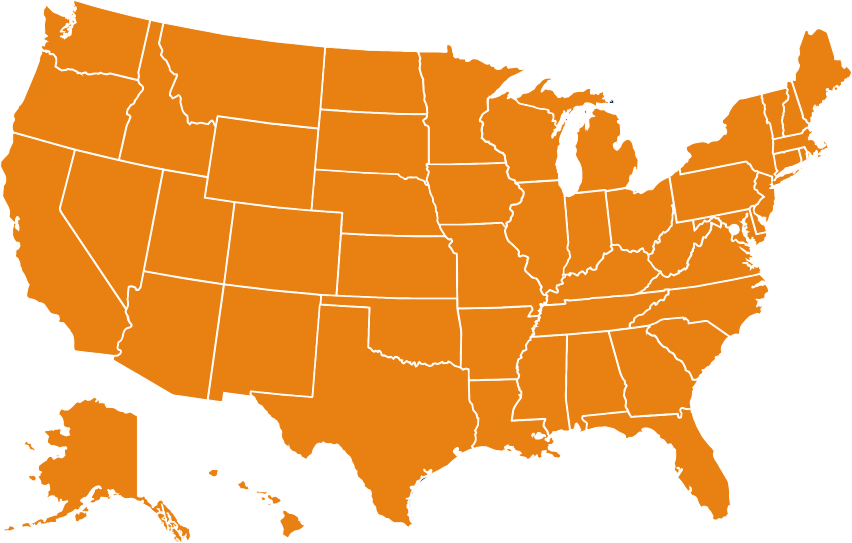
Starlink uses low Earth orbit (LEO) satellites to deliver high-speed internet across the United States. Its satellite network reaches all 50 states, making it an ideal choice for rural communities, remote homes, campers, frequent travelers, and digital nomads who lack access to wired connections.
Top Underserved U.S. Areas Covered: